 Qotara
Reuse recurring clients
Save client contact details and select them again for routine, seasonal, or follow-up cleaning work.
Keep recurring clients and cleaning services ready, create a professional estimate, assign accepted work to the calendar, and invoice the completed job without rebuilding every detail.
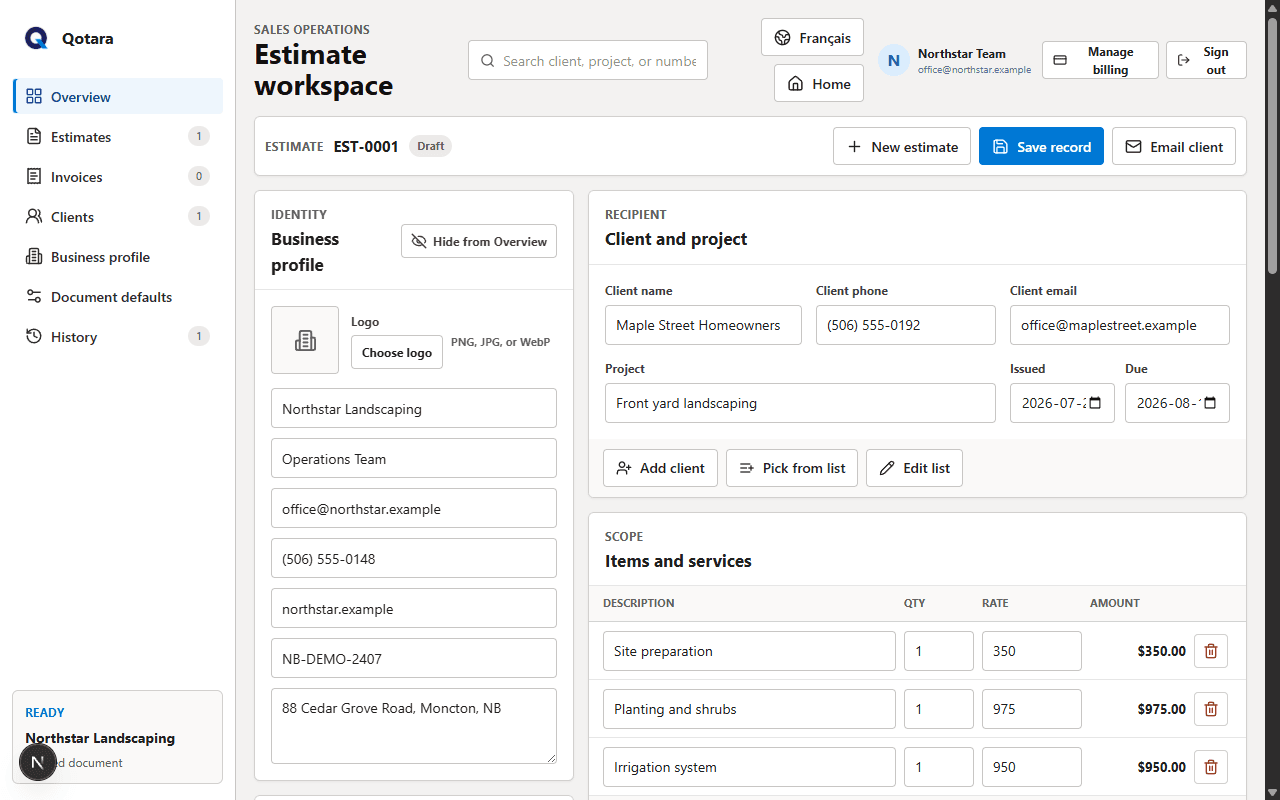
Qotara keeps the practical details of quoting and scheduling close together while leaving every job editable.
Save client contact details and select them again for routine, seasonal, or follow-up cleaning work.
Create presets for regular services, then change descriptions, quantities, or rates for the current job.
Apply editable discounts and tax while the subtotal and final price update with the scope.
Email estimates and invoices with your business identity, secure document view, and downloadable PDF.
Add team members in Qotara Schedule and assign accepted jobs to the cleaner responsible.
Use day, week, and month calendar views, then filter work by employee or job status.
Choose a saved client, add the services that match the property, and adjust quantities, rates, dates, tax, and notes. The client receives a consistent document while you retain control of the actual scope.
With a Schedule plan, assign the accepted job to a team member and keep it visible on the calendar. Convert the estimate to an invoice after the work is complete.
Select the client and services, then tailor the scope and price.
Choose the date, time, location, status, and assigned team member.
Carry the estimate forward and review any final changes before sending.
Qotara helps with client estimates, invoices, saved services, and optional scheduling. It does not replace payroll, bookkeeping, route optimization, or a full CRM.
Yes. You can save clients and common service items, then reuse and edit them for the next estimate.
Plans with Qotara Schedule let you add team members, assign jobs, and view the schedule by day, week, or month.
Yes. The client, project, services, quantities, rates, tax, notes, and dates are editable for each document.
Yes. Qotara sends a formatted email with a secure document view and downloadable PDF.
Qotara currently creates and sends the invoice document. It does not collect payment from your client.
Add Qotara Schedule when you also need team calendars, job assignments, and shareable schedules.
Save your clients and regular services, then tailor each estimate to the property and job.