 Qotara
Client and project
The customer name, email, project title, and dates remain connected to the job.
Keep the client, project, line items, totals, and notes together from the first estimate through the finished invoice.
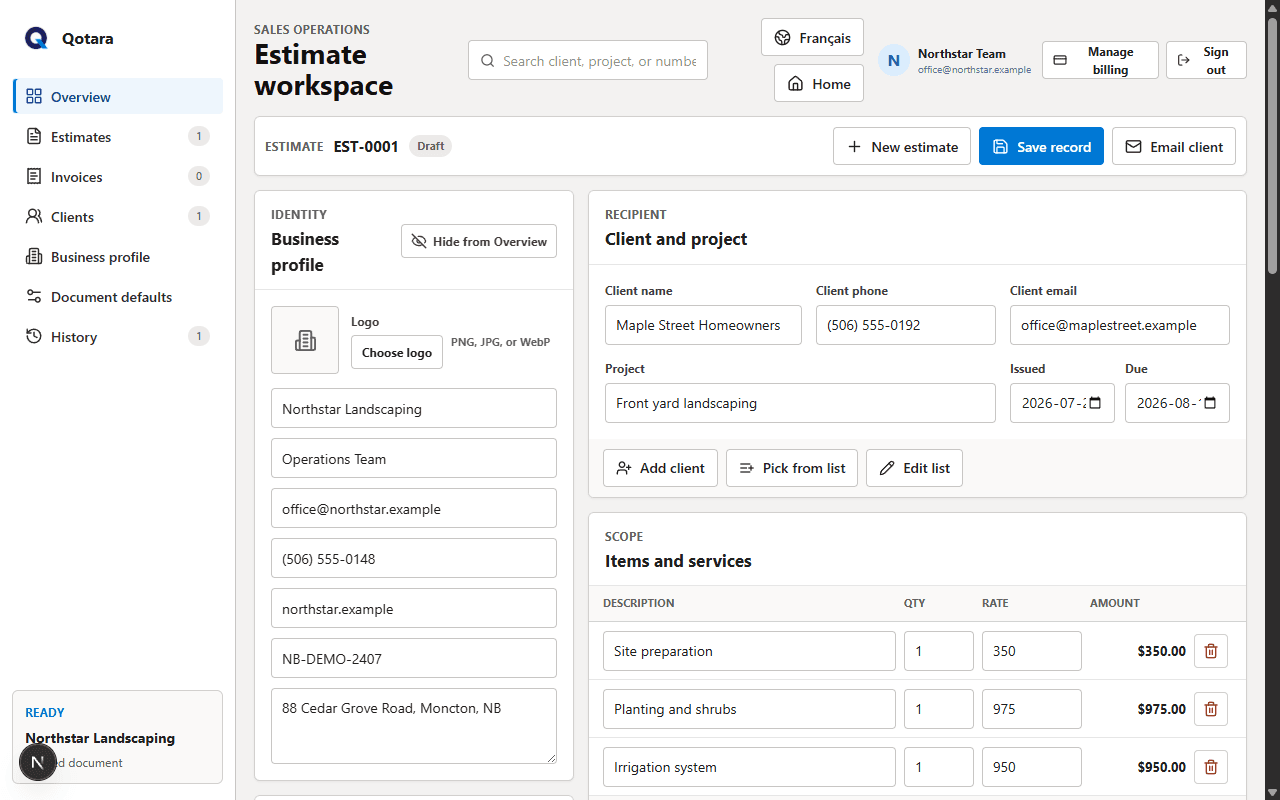
Converting a won estimate should be a review step, not a second round of data entry. Qotara carries the working document forward while leaving it editable.
The customer name, email, project title, and dates remain connected to the job.
Descriptions, quantities, rates, and calculated amounts carry into the invoice for review.
The subtotal, discount, editable tax percentage, and final total stay visible together.
Your logo, contact details, tax number, and document notes stay with the client-facing document.
Save the estimate as the record of what you quoted. When the work is ready to invoice, convert it and review the new document rather than rebuilding the scope from memory.
You can change the invoice dates, notes, or line items when the completed work differs from the original estimate. Qotara keeps the workflow simple while leaving the business responsible for the final document.
Explore Qotara for Canadian contractorsConfirm the client, scope, pricing, tax, notes, and business branding.
Create the invoice with the estimate details already in place.
Make final adjustments, download the PDF, or email the invoice to the client.
Search saved records by client, project, or number and filter the list to estimates or invoices. That makes it easier to return to the right document without relying on a separate spreadsheet.
Qotara keeps saved document history so you can distinguish estimates and invoices. Review the converted invoice before saving or sending it.
Yes. The carried details remain editable, so you can update dates, notes, line items, discounts, or tax before sending the invoice.
No. Qotara currently creates and delivers estimates and invoices; it does not process your client's invoice payment or track deposits.
Yes. You can download a PDF or print the finished document, and emailed clients receive access to a downloadable PDF.
Choose $19.99 CAD monthly or $119.99 CAD yearly. You can manage or cancel the subscription through Stripe's secure billing portal.
Build the estimate once, then carry the job forward when it is time to invoice.