 Qotara
Build a service list
Save regular mowing, cleanup, planting, irrigation, labour, or material items for faster selection.
Create professional landscaping estimates with reusable services for site preparation, planting, maintenance, labour, and materials. Adjust the details for each property, then send, schedule, and invoice the work.
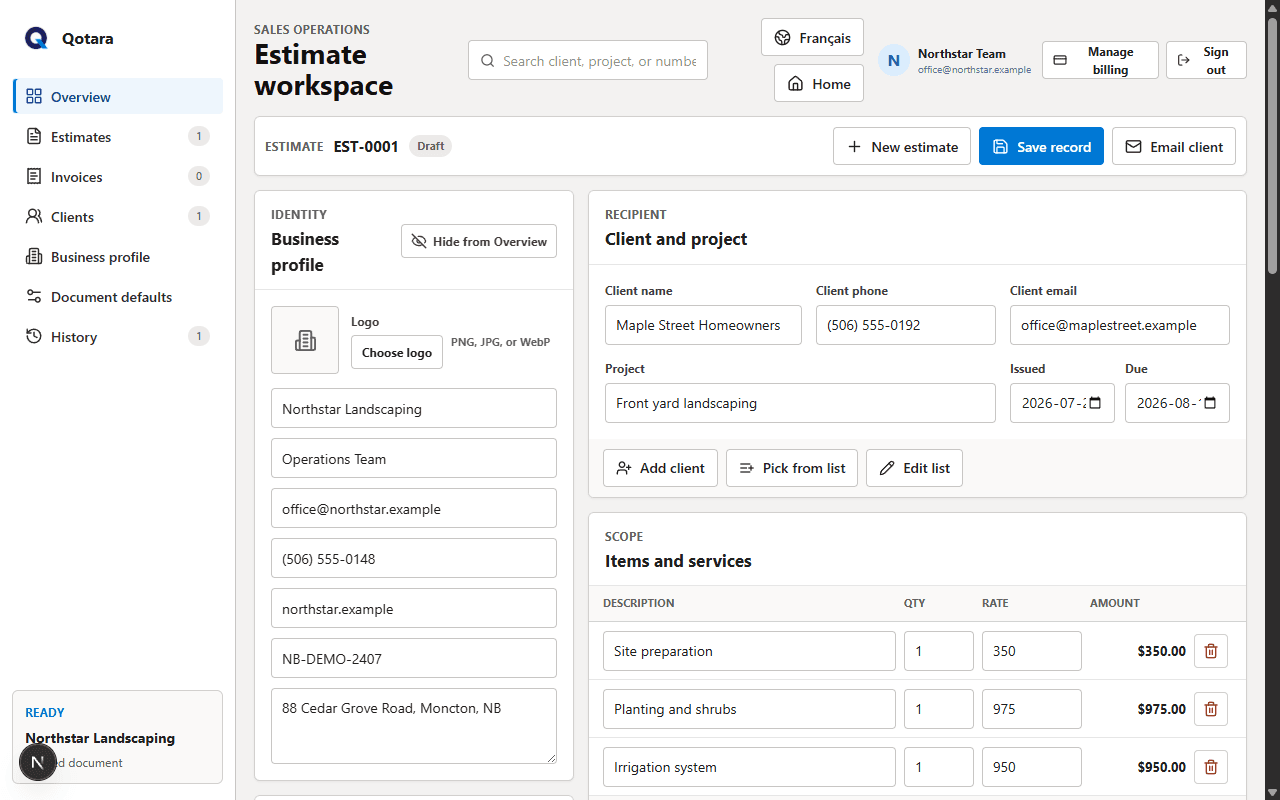
Keep your common services ready, then tailor quantities, pricing, dates, and notes to the property in front of you.
Save regular mowing, cleanup, planting, irrigation, labour, or material items for faster selection.
Change quantities and rates while subtotal, discount, tax, and total update with the estimate.
Pick a saved client for seasonal or follow-up work and update only what changed.
Email a formatted estimate with your business identity, secure document view, and PDF.
With Qotara Schedule, place jobs on day, week, or month calendars and assign team members.
Convert accepted work to an invoice, then save, print, or download the completed document.
Start with the client and project, then select the landscaping services that apply. Presets are editable, so the same service can be priced for a small residential property or a larger commercial job.
Send the estimate for review, schedule accepted work if your plan includes Qotara Schedule, and convert the estimate into an invoice when the job is complete.
Reuse saved details and add the scope for this property.
Confirm totals, dates, notes, and the team schedule before work begins.
Carry the quoted work forward and adjust the invoice if the completed scope changed.
Qotara is a straightforward fit when you need polished estimates and invoices plus optional scheduling—not landscape design, takeoff, routing, payroll, or accounting software.
Yes. Save common service items and pick them from a list when building an estimate. Each selected item remains editable.
No. You enter the quantity and rate based on your own measurements and pricing. Qotara calculates the document totals.
Plans that include Qotara Schedule let you add team members, assign jobs, and use day, week, and month calendar views.
Yes. Qotara can send a formatted email with a secure document view and downloadable PDF.
No. Qotara focuses on estimates, invoices, client documents, and optional job scheduling rather than bookkeeping or tax filing.
Add Qotara Schedule when you also need team calendars, job assignments, and shareable schedules.
Save the services you use often and tailor the next estimate to the client, property, and job.