 Qotara
Use measurable quantities
Show hours, area, volume, units, or visits when that makes the price easier to understand.
A useful landscaping estimate separates the work into understandable services and records the property assumptions behind the price. Use this structure for installation, cleanup, maintenance, or improvement jobs.
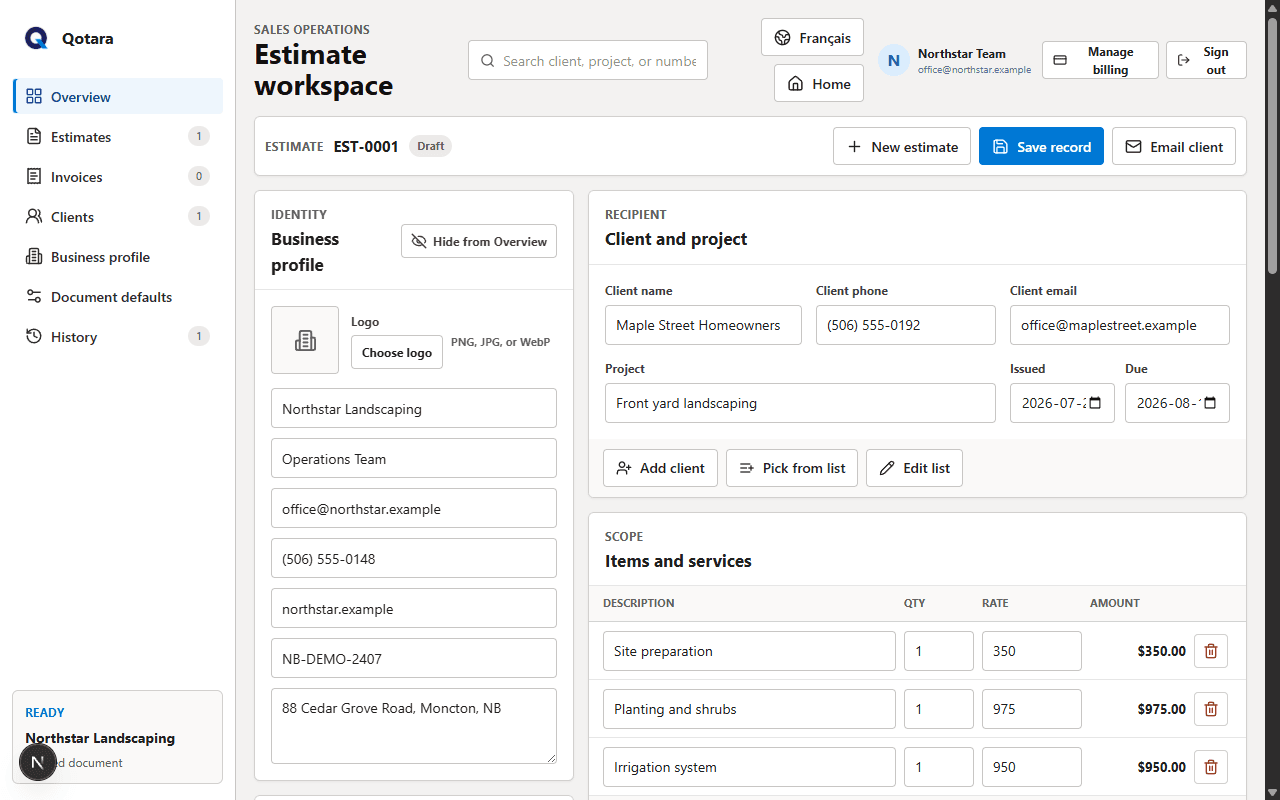
The exact measurements and rates come from your own site review. The template helps present those decisions in a consistent client document.
A useful template is consistent, but it should never hide the details that make this job different. Confirm the client, scope, assumptions, pricing, tax, dates, and notes before sending.
Qotara lets you save the parts that repeat and edit every selected item for the current job. The finished estimate can be emailed, viewed securely, or downloaded as a PDF.
Explore landscape estimating softwareMeasure the relevant areas and record access, drainage, soil, removal, and equipment constraints.
Separate preparation, materials, labour, equipment, and cleanup into clear items.
Check quantities, tax, schedule, exclusions, estimate validity, and the final total.
Show hours, area, volume, units, or visits when that makes the price easier to understand.
Explain which conditions could affect timing, quantities, or additional work.
Present optional upgrades or alternate materials clearly instead of hiding them inside the base scope.
No. Measure the property and determine quantities using your own process. Qotara calculates document totals from the quantities and rates you enter.
Separate them when it helps the client understand the scope or when your business needs that detail. A bundled service line can also be appropriate if it remains clear.
Choose a period that reflects your supplier pricing, season, and availability. State the date clearly so the client knows when you need to review the price again.
Save the details you reuse, tailor the job, and send the finished document from Qotara.