 Qotara
Reuse regular services
Save common labour, material, and service items, then adjust the quantity or rate for each job.
Build a clear estimate from phone or desktop, reuse the details that repeat, and carry won work into an invoice. Add Qotara Schedule when your team also needs job assignments and shared calendars.
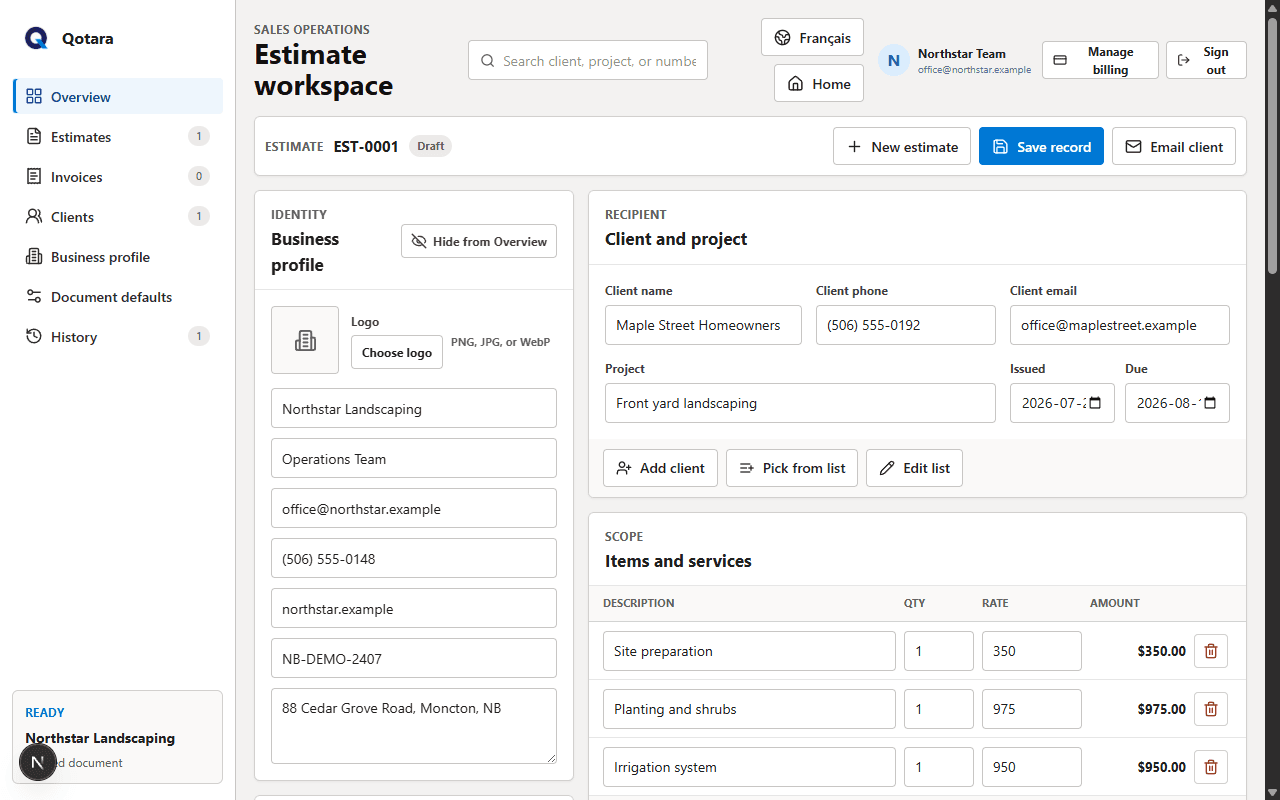
Qotara covers the path from client request to sent document without forcing a small team into a heavy construction-management system.
Save common labour, material, and service items, then adjust the quantity or rate for each job.
Review subtotal, discount, tax, and total while the scope changes instead of calculating them separately.
Deliver a branded email, secure document view, and downloadable PDF using the business details you saved.
Carry the client, project, scope, totals, and notes forward when the work is ready to invoice.
Choose a Schedule plan to assign work, organize team members, and view jobs by day, week, or month.
Save, search, print, and download documents so the final version is easy to find later.
Start with the client and project, pick saved services, and tailor the scope to the actual job. Qotara keeps every line editable, so a preset speeds up the work without locking the estimate.
When the estimate is accepted, convert it to an invoice and review any final changes. Teams using Qotara Schedule can also place the job on the calendar and assign it to the right person.
Add the client, scope, quantities, rates, tax, dates, and notes.
Email the estimate and, with a Schedule plan, assign the job to your team.
Convert the estimate, review the final details, and deliver the invoice.
Landscapers, cleaners, painters, maintenance teams, and other service contractors can keep recurring clients and services ready while still customizing every job.
Qotara is a focused estimating, invoicing, and optional scheduling tool for small service contractors. It does not include takeoffs, blueprint measurement, project accounting, or construction cost databases.
Yes. Qotara is a responsive web application that works in a modern phone or desktop browser.
Yes. You can create reusable service items and edit their description, quantity, and rate on each estimate.
Qotara plans that include Schedule provide job calendars, team assignments, client selection, and day, week, and month views.
Yes. Paid members can manage or cancel their subscription through the secure Stripe billing portal.
Add Qotara Schedule when you also need team calendars, job assignments, and shareable schedules.
Set up your business details once, then create a client-ready estimate from the Qotara workspace.